AI Tools
10 Best AI Tools for Student in 2026
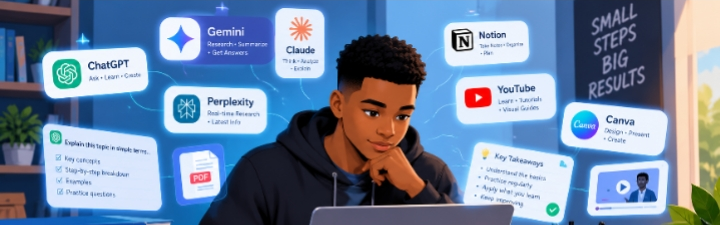
10 Best AI Tools for Students in 2026
Artificial intelligence is becoming an increasingly useful part of education. Students can use AI tools to understand difficult concepts, organize notes, research topics, practice questions, improve writing, create presentations, and manage their study time.
However, AI should be used as a learning assistant, not as a replacement for your own thinking and schoolwork.
Here are 10 AI tools worth exploring in 2026.
1. ChatGPT
ChatGPT can help students understand complicated subject by explaining them in simpler language.
You can ask it to:
- . Explain difficult topics step by step
- . Create practice questions
- . Summarize notes
- . Brainstorm ideas
- . Help debug programming code
- . Create study plans
- . Practice conversation and interviews
Best for: General learning, explanations, brainstorming, writing assistance, and coding.
Tip: Instead of simply asking for answer, ask the AI to teach you how to solve the problem.
2. Google Gemini
Google Gemini is an AI assistant the can help with research, brainstorming, writing, studying, and understanding information.
Student can use it to explore topics and generate ideas for assignments or projects.
Best for: Research, assistance, brainstorming, explanation, and productivity.
3.Microsoft Copilot
Microsoft Copilot is Microsoft's AI assistance and can be useful for student who already work with Microsoft products.
It can assist with writing, brainstorming, summarizing information, and other productivity tasks.
Best for : Student working with Microsoft tools and productivity tasks.
4. Perplexity
Perplexity is designed around AI-powered search and research.
Instead of simply giving you a list of search results, it can provide a conversation answer and point you toward sources for further reading.
Best for: Research and finding information quickly.
Tip: Always open and check the original sources before using information in academic work.
5. Grammarly
Grammarly uses AI to help improve writing.
Students can use it to identify grammar problems, improve clarity, adjust tone, and make their writing easier to understand.
Best for: Essays, emails, reports, and general writing.
6. Canva
Canva combines graphic design tools with AI features that can help students create presentations, posters, documents, social-media graphics, and other visual projects.
Best for: Presentations, visual assignments, posters, and design.
7. NotebookLM
NotebookLM is designed to work with information you provide, such as documents and notes.
This can make it useful when studying from a collection of course materials.
Students can use it to organize information, ask questions about their sources, and create study material.
Best for: Studying from notes, documents, and course materials.
8. Wolfram|Alpha
Wolfram|Alpha is particularly useful for mathematical and scientific questions.
It can help students explore calculations, formulas, statistics, and other quantitative topics.
Best for: Mathematics, science, statistics, and calculations.
Important: Don't just copy the result. Work through the solution so you understand the method.
9. GitHub Copilot
Students learning programming can use GitHub Copilot as a coding assistant.
It can help suggest code, explain programming concepts, and assist with repetitive coding tasks.
Best for: Programming and software-development students.
Tip: Always understand and review AI-generated code before using it.
10. Quizlet
Quizlet provides digital study tools that can help students practice and review information.
Its AI-powered features can make studying more interactive by helping turn learning material into useful practice activities.
Best for: Revision, flashcards, and exam preparation.
How Should Students Use AI?
AI can be extremely helpful, but using it effectively requires good judgment.
Instead of asking:
"Do my assignment for me."
Try asking:
"Explain this topic to me and give me three practice questions."
This changes AI from an answer generator into a learning assistant.
You can also use AI to:
- Explain concepts you don't understand
- Generate practice questions
- Review your own work
- Find gaps in your understanding
- Brainstorm project ideas
- Create revision plans
- Practice before an examination
Can AI Replace Studying?
No.
AI can explain information quickly, but understanding and remembering something still requires your own effort.
AI systems can also make mistakes or provide outdated information. That's why students should verify important information and consult reliable sources.
Important Things Students Should Remember
Before using an AI-generated answer for schoolwork:
- Check whether the information is accurate.
- Read the original sources when possible.
- Follow your school's AI policy.
- Don't submit AI-generated work as your own when that isn't allowed.
- Use AI to improve your understanding rather than avoid learning.
Final Thoughts
AI tools can make studying more efficient when they're used responsibly.
Whether you need help understanding a difficult topic, organizing your notes, researching a subject, improving your writing, creating a presentation, or practicing programming, there is an AI tool that may be useful.
The best approach is simple:
Use AI to learn faster — not to stop learning.
Frequently Asked Questions
What is the best AI tool for students?
There isn't one tool that is best for everyone. General-purpose assistants such as ChatGPT and Gemini can be useful for many learning tasks, while specialized tools may be better for research, mathematics, writing, design, or programming.
Can students use AI for schoolwork?
This depends on the rules of the student's school, teacher, or institution. Students should always follow the applicable academic-integrity rules.
Is AI safe for students?
AI can be useful, but students should avoid blindly trusting AI-generated information. Important facts should be checked against reliable sources.
Can AI help students study?
Yes. AI can help explain concepts, generate practice questions, summarize notes, create study plans, and provide feedback on learning exercises.